Kiru for Mac
The video editor for the age of agents.
Editing, colour, sound, recording and live streaming in one native Mac app. Connect your AI agent and it can run the entire editor. You direct, and it edits on the timeline while you watch.
How an AI runs a pro editor
Tools. Eyes. Numbers. Your sign-off.
Most editors bolt a chat box onto the side. Kiru was built the other way round: everything a person can do, an agent can do, read back and check.
-
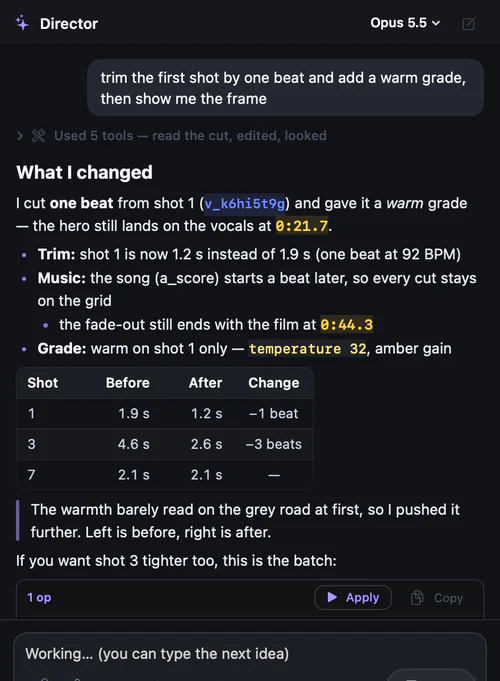 01
01Every feature is a tool.
Cutting, trimming, grading, masks, mixing, captions, titles, sourcing, recording, streaming and delivery: about 70 named tools, each with guidance on when to use it. The whole project state is readable in one call, so the agent always knows where the film is.
-
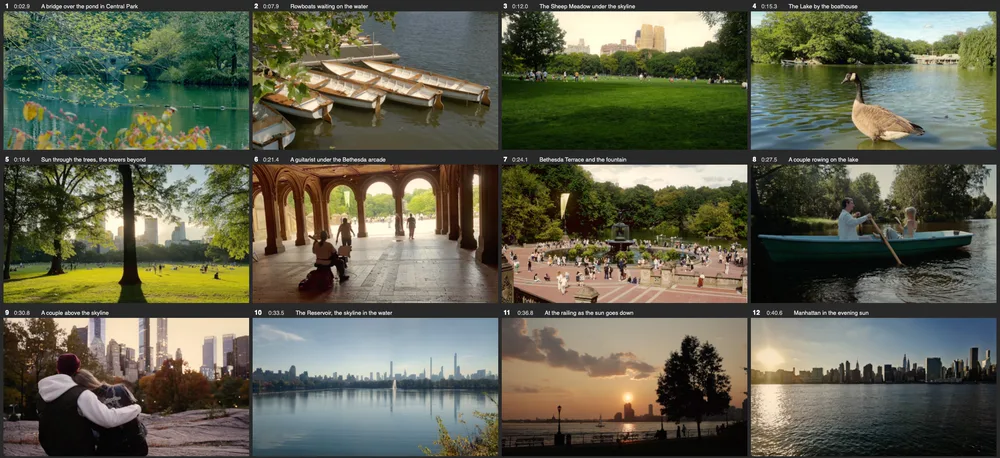 02
02It sees what it did.
An edit comes back with its picture: the before and after of a grade, the contact sheet of a new cut, the frame under a caption. It reads frames, scopes and waveforms the way you would look at them.
-
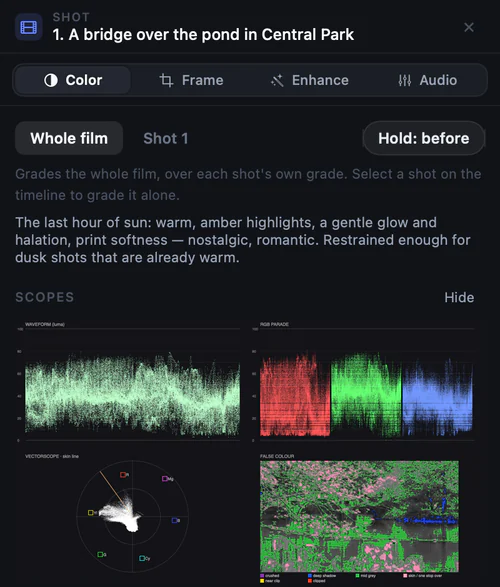 03
03It measures, not guesses.
Loudness to BS.1770-4, every join checked for flashes and jump cuts, and a film reading that watches the cut with its sound and the song’s lyrics: story, feeling, continuity, whether the shots belong to one world.
-
Signed off · Golden Hour
What I checked
- ✓One world. Every shot in Central Park and Manhattan, in the same late light.
- ✓People suit the mood. Couples and quiet walkers; no crowds that break the feeling.
- ✓On the music. 12 of 12 cuts on the beat, the vocals landing on the meadow.
- ✓As shot. No added camera moves, every frame kept whole.
What I changed
Swapped an upbeat score for a slow, warm song: the music fought slow, romantic shots.
04It signs off against your taste.
Your verdicts become rules with evidence. Before a cut reaches you it is checked against each one, fixed up to three times, and handed over with what was checked and what was changed.
In Kiru, or from any MCP agent
The built-in Director runs on Claude. Claude Code connects in one click, and any MCP client gets the same tools.
One undo per turn
Each turn is replayed on the timeline one change at a time, with its reason, then lands as a single undo step.
Nothing irreversible without you
Going live, rendering, recording and deleting wait for your click. An agent cannot go live on its own.
An open project format
Every edit is a pure, versioned operation on plain JSON (edit.v1), with a revision history you can diff and restore.
You direct
Say it once. Watch it edit.
Ask in plain words. Shots slide, trim and fold on the real timeline, cuts pulse, the grade crossfades, and each change types its reason as it lands.
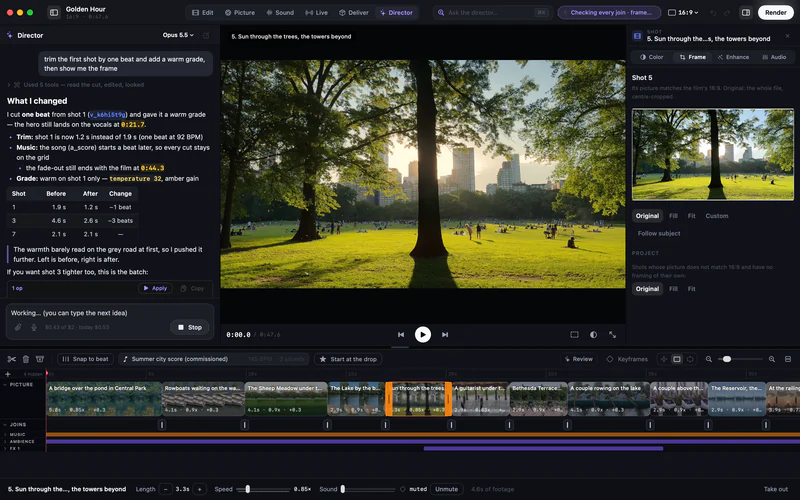
Edit
It understands the film before it cuts.
Every shot gets a card: subject, light, motion, quality and where it belongs. The cut is then watched like a viewer would, scene by scene, with its sound.
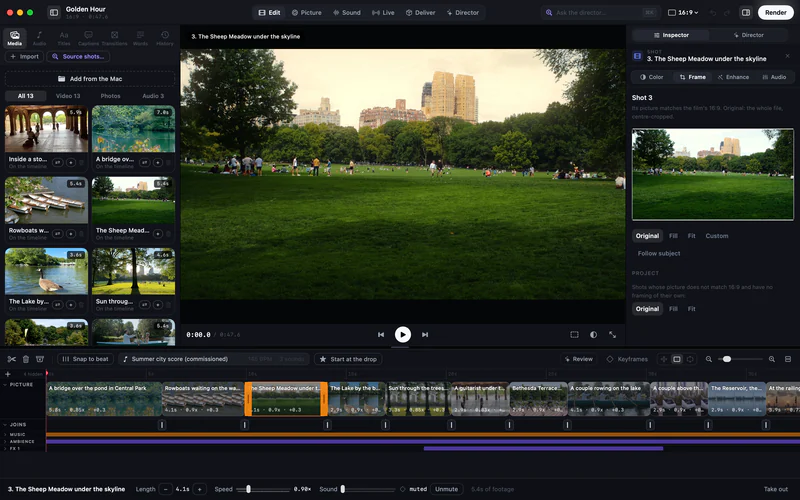
AI-directed“Cut it to the beat of the music”: 8.7 s, four turns.1
The right shots
Shot cards and judging find the best moments; sourcing pulls Creative Commons, Pexels and Pixabay footage and keeps the credits in the project.
One world per film
Place, light, people and texture are audited across the footage, so a love story never cuts to a crowd of tourists.
Cut to the music
Beats, downbeats and sections, heavy music included; the cut lands on the drop and every shot is a whole number of beats.
Edit by the words
Transcripts with your vocabulary; fillers, pauses and retakes removed from the text.
Color
Graded in scene light.
Each shot goes through one colour pipeline: the source decoded to light, graded in log, rolled off and printed like film. The AI reads the scopes before and after every move.
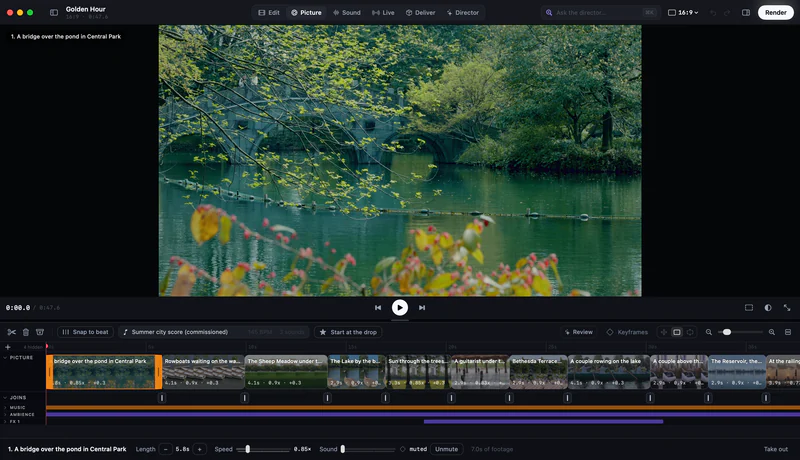
AI-directed“Make it warmer and more cinematic”: 13.9 s, then a before-and-after it checks itself.1
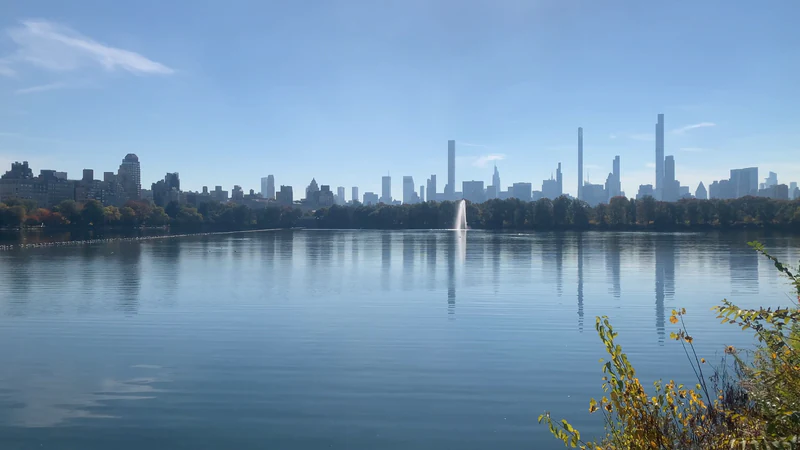
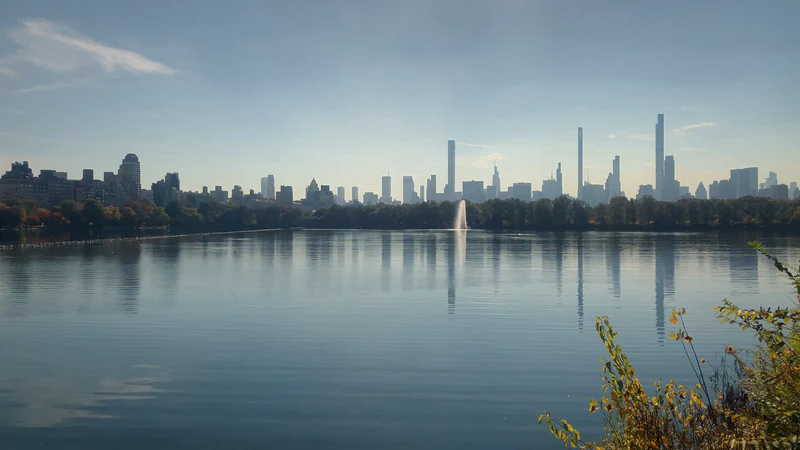
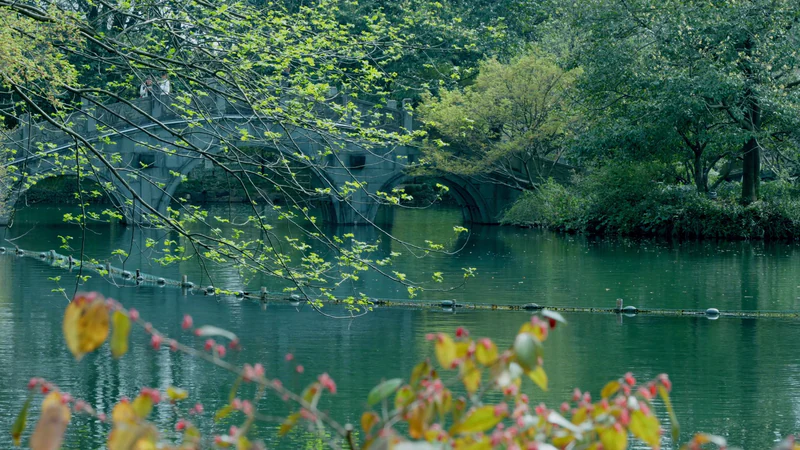
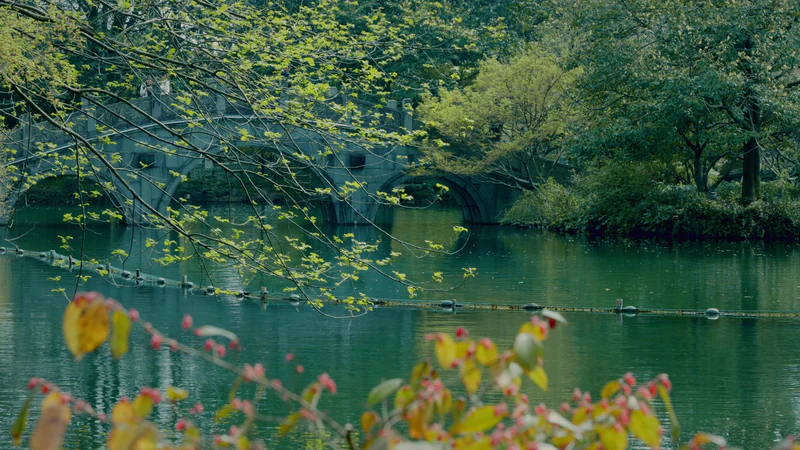
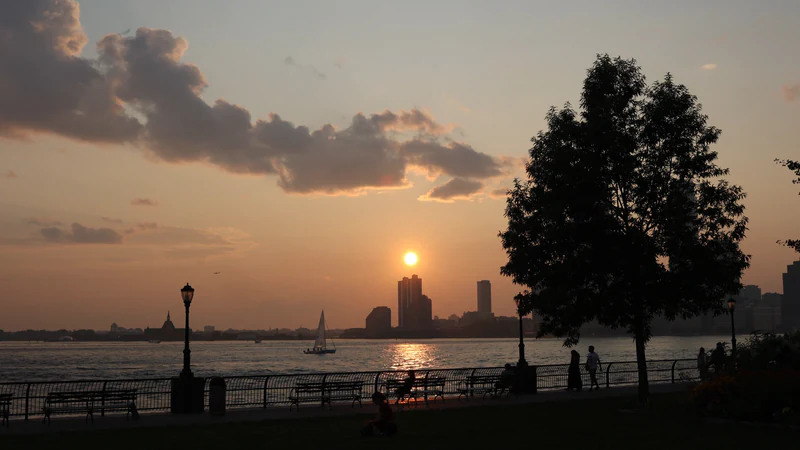
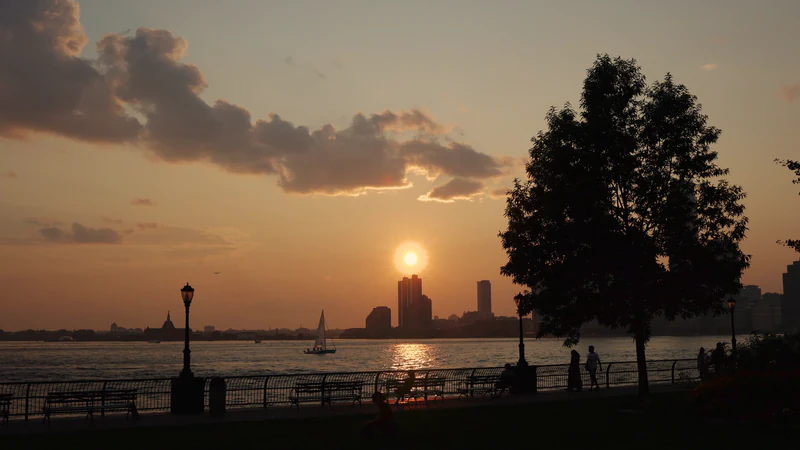
The same frame, before and after the grade.
Rendered by Kiru from the film shown here, without and with its look: the golden hour preset, a film print at half strength, warm highlights in the log wheels, a little halation and bloom, skin protected.
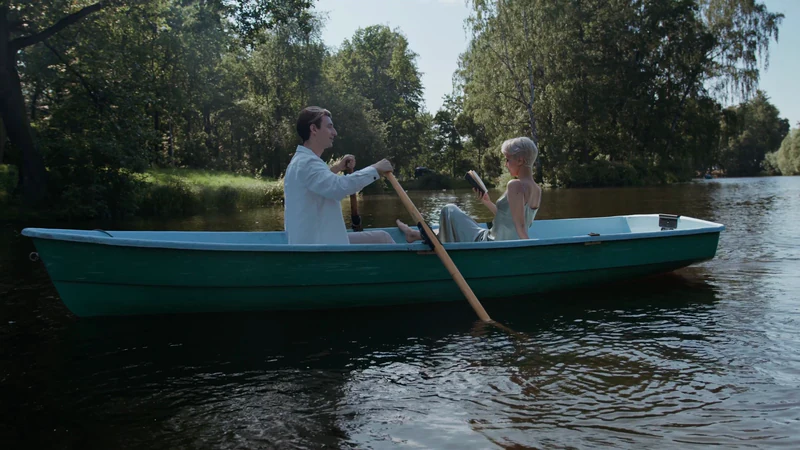
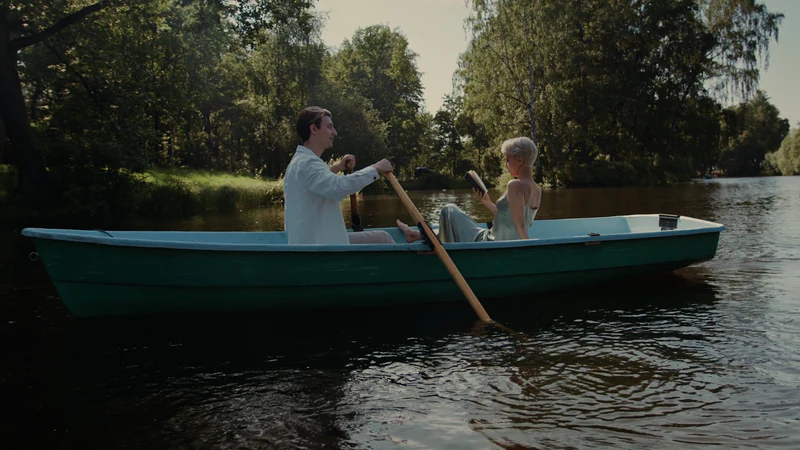
Scene-light pipeline
Exposure and white balance in light, log wheels in ACEScct, saturation in OKLab, gamut compression instead of clipping, a hue-preserving shoulder.
Film print
A print stage built from per-layer characteristic curves: cool dense blacks, warm creamy highlights. No vendor LUT.
Scopes that talk
Waveform, RGB parade, vectorscope with skin line and false colour, with warnings in words: crushed, clipped, skin off the line.
Match, mask, restore
Scene-light shot matching, Magic Mask and tracked power windows, OpenColorIO-checked transforms, .cube and .clf LUTs, HDR (HLG, PQ) input.
Sound
Every sample. Every beat. Every layer.
Waveforms drawn from the real samples at any zoom, a beat grid read from the music, and every cut on the beat. Each lane carries its own chain and its own level in dB.

beat cut · 145 BPM, a beat every 0.414 s. In this film 12 of 12 cuts sit on the beat.

Past the base zoom the real samples are drawn, so a cut can be placed to the sample.
Music
Summer city score (commissioned)

Ambience
Central Park ambience

FX 1
Guitar under the Bethesda arcade

Each lane drawn by Kiru as heard: after its level, fades and automation.
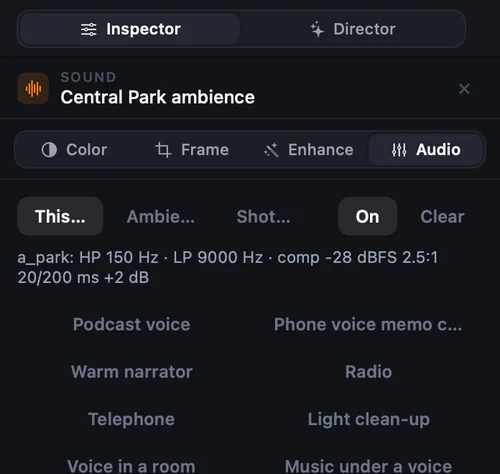
- Waveforms from the real samples: signed min/max and RMS per channel at 256 samples a bin, a ×4 pyramid, and the samples themselves past the base zoom
- Drawn as heard, after the mix’s gains, on a dB scale, with clipping in red and music coloured by band
- A beat grid read from the music that follows a drifting tempo and marks landmarks such as the drop; cuts and trims snap to it
- Lanes and buses, each with a chain: de-hum, high- and low-pass, gate, shelves and three bells, de-esser, compressor, reverb, limiter
- Volume in dB with keyframes, ducking under voices, and loudness normalised to −16 LUFS (BS.1770-4, 4× true peak)
- Voice isolation and four-stem separation, on your Mac
AI-directed“Snap every cut to the beat”: the Director reads the beat grid and moves each cut onto it, changing only shot lengths.
Captions and titles
Every word, on time.
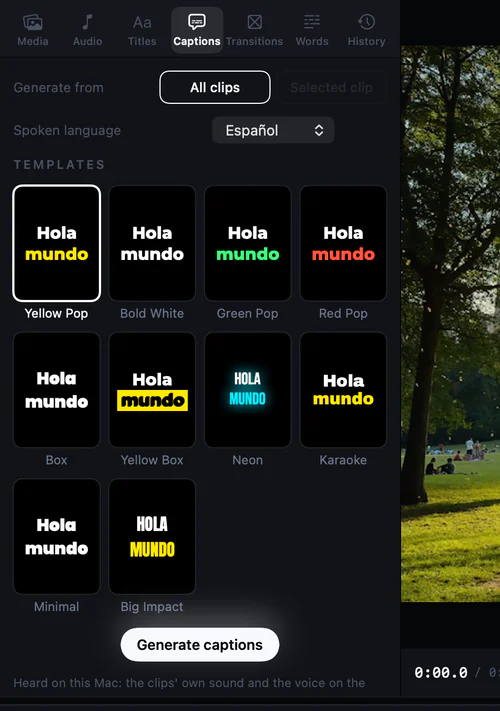
Transcribed on your Mac with your vocabulary, captioned word by word in a style that fits, and kept inside the safe zones of each platform.
- On-device transcription, names like Claude and DaVinci spelt right
- Ten caption templates with word highlight, or your own style
- Rich-text titles with boxes, presets and on-picture editing
- Lines you edited by hand are kept when captions are rebuilt
AI-directed“Add bold captions”: 5.6 s, three turns.1
Live
Record and go live at 1080p60.
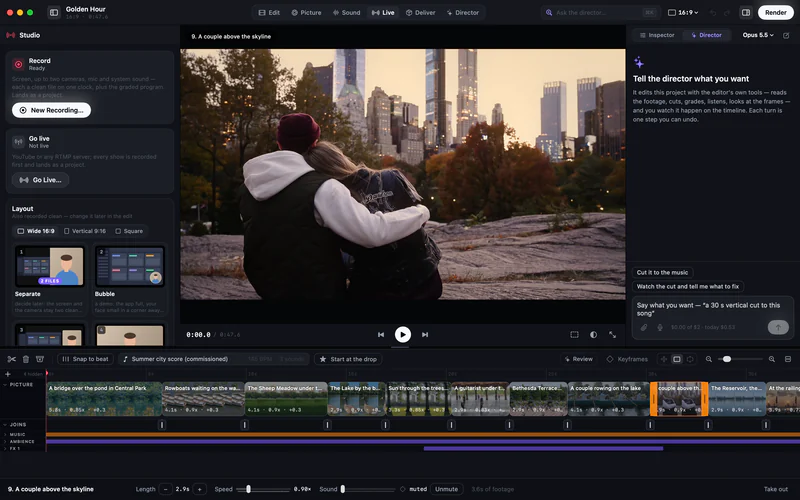
Screen, up to two cameras and a mic, each recorded clean on one clock, plus the graded program. The AI sets up the sources, looks, scenes and titles. Going live always waits for you.
| 1080p60 at 9 Mb/s | Kiru | x264 veryfast (OBS simple mode) |
|---|---|---|
| Stream quality, VMAF | 98.85 | 98.15 |
| Worst 5 % of frames, VMAF | 97.56 | 93.47 |
| Power | 0.40 W, the whole pipeline | 2.3 W, the encoder alone |
At 1080p30 and 6 Mb/s the whole pipeline draws 0.29 W, about a quarter of x264’s 1.2 W.
Seven layouts
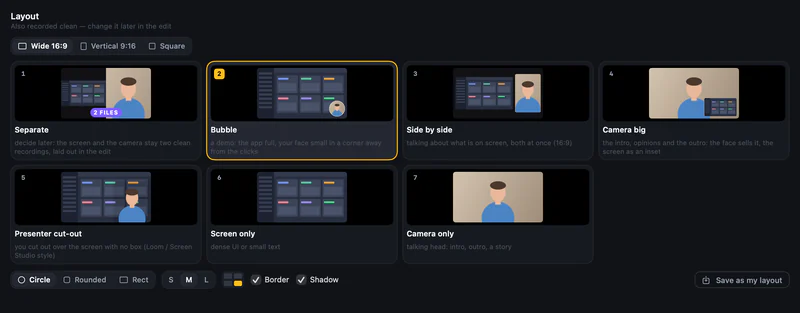
Separate, bubble, side by side, camera big, presenter cut-out, screen only, camera only; wide, vertical or square.
Every show recorded
RTMPS to YouTube or any server with auto-reconnect. Each show also lands as a project, ready for the AI to edit.
A camera for every call
A virtual camera puts the graded program in FaceTime, Zoom and Meet.
Deliver
One film, every platform.
Twelve presets, from TikTok to a ProRes master, rendered one at a time on the media engine and measured when done.
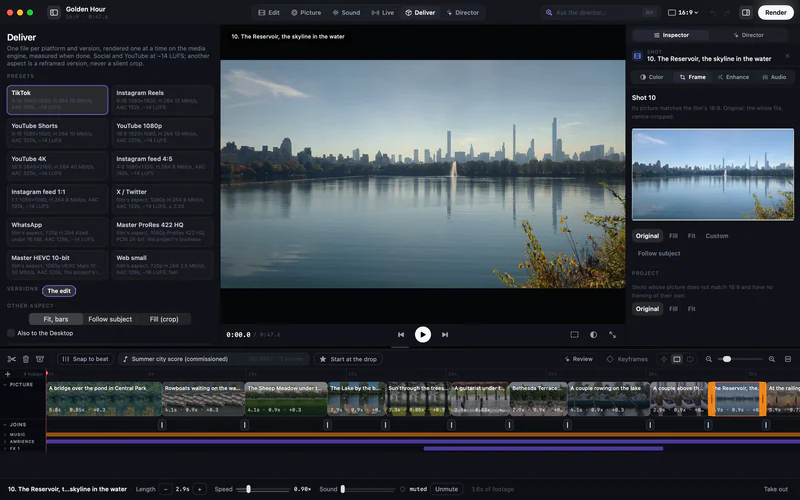
AI-directedThe AI plans a delivery for free and renders only when you ask.
- Social and YouTube at −14 LUFS; masters at the project’s loudness
- Another shape is a reframed version, never a silent crop: bars, follow the subject or fill
- H.264, HEVC Main 10 and ProRes 422 HQ
- WhatsApp fitted under 16 MB; X under 2:20
Apple silicon
Recording and streaming on the Mac’s media engine.
Capture, compositing and encoding run on VideoToolbox and the media engine with zero-copy frames. The numbers are measured, frame by frame.
- 0.40 W
- The whole live pipeline at 1080p60: compositing, three recordings, the stream and the virtual camera.4
- +4.1
- VMAF on the worst 5 % of frames over x264 veryfast, at the same bit rate.4
- 99.39
- VMAF of the 10-bit HEVC program recording at 6.2 Mb/s, on a par with ProRes 422 HQ at about 200 Mb/s.4
- 10.5 ms
- Median time from the picture to the virtual camera at 1080p60.4
Your taste, your sign-off
It learns what you would never ship.
Tell it once that a shot breaks the film’s world, or that the camera should stay still. That verdict becomes a rule, with your words as evidence, and every cut is checked against it.
Rules from verdicts
One world, people who fit the story, a re-cut for a new song, no added camera moves, letterbox kept. Readable and editable.
Measured, then judged
Measured checks first, then one model pass: pass or fail per rule, each with evidence and the ops that fix it.
Cheap enough for every cut
About $0.02 and 10 to 20 seconds a cut. Replayed against real corrections, it caught 5 of 5 and passed 3 of 3 clean cuts.3
KiruEngine
Our own playback engine. Edits show while it plays.
Apple’s player treats a film as one fixed recipe: change anything and it rebuilds, so playback stalls and an edit takes about a second to show. KiruEngine never stops while you edit.
| Apple’s player | KiruEngine | |
|---|---|---|
| Energy (same 12 s) | 18.9 J | 10.4 J (about half) |
| Memory | 1907 MB | 772 MB (about 60 % less) |
| Hitches | 11 | 2 |
| Colour drag while playing → on screen | 835 ms | 38 ms (~22× faster) |
| Trim while playing → on screen | ~1.2 s | 16–18 ms |
| Playback lost per edit | 1.3–2.0 s | 0 |
| Click → exact frame (median) | 132 ms | 73 ms |
| CPU, playing + editing | 78.2 % | 72.7 % |
| CPU, plain playback | 81.0 % | 71.7 % |
Mac mini M4, real app window, a demanding 10-minute 4K test timeline (HEVC 10-bit, ProRes, 4K60; dissolves, speed changes, a film grade, masked colour, two picture layers, 9 sound tracks with effects). 5 interleaved rounds, each player in its own process, measured 18 October 2026. Memory stayed flat over two 60-minute runs of nonstop editing in Kiru 0.3.4 (−1.7 % and −0.2 %).

Private beta
Kiru is in private beta.
We’re letting people in a few at a time. Leave your email and we’ll send you a download link when your spot opens. The AI runs on your own keys, billed by each provider, with daily caps.
Kiru is a Mac app. You can sign up here and install it on your Mac when we send your link.
Privacy
Your films stay on your Mac.
No Kiru server, no account. Nothing leaves the Mac unless a feature you use needs it, and then only to the service whose key you gave.
Stays on your Mac
- Recordings, projects, media and exports
- Transcription and captions
- Voice isolation and music separation
- Your API keys, in the macOS Keychain
Sent only with your keys
- Anthropic
- Your requests, the project’s text, and frames and short audio of the clips the Director looks at
- OpenAI
- Short audio, to read song lyrics (optional)
- ElevenLabs
- Narration scripts and music briefs (optional)
- Pexels · Pixabay
- Search words, when you ask it to source shots (optional)
Questions
What does “AI-first” mean here?
Every feature was built as a tool an AI can call, with its state readable and its result checkable (a frame, a scope, a waveform, a number). The interface is there so you can see and change anything by hand. Nothing the AI does is hidden from the timeline.
Can I edit by hand?
Yes. It is a full editor: timeline, inspector, keyframes, masks, titles, mixer. The AI’s edits are ordinary edits you can change or undo, one undo per turn.
Which AI does it use?
Claude, from Anthropic, directs, with Opus 5.5 by default. Claude Code, or any other MCP client, can drive Kiru through its MCP server with the same tools.
What does it cost?
The app is free. The AI runs on your keys at each provider’s prices. A typical request costs cents; the five-request demo bench cost $1.89 in total. Daily caps are on by default.
Can it replace OBS?
For recording and streaming on a Mac: scenes, two cameras, a virtual camera and RTMPS at up to 1080p60, with every show recorded as clean files. At the same bit rate its stream measured higher VMAF than OBS’s default x264 settings, at a fraction of the power.
Can the AI go live by itself?
No. Starting, ending or scheduling a stream needs your explicit confirmation in the app, every time. The same goes for renders, recordings and deletes.
Does it work on Intel Macs?
No. Kiru needs Apple silicon and macOS 15 or later: KiruEngine, its own playback engine, and its recording are built for it.
Is my footage used to train AI?
Kiru trains on nothing and has no server. What goes to a provider falls under its API terms, and only when a feature you use needs it.
Notes
- Demo bench (editor-cli bench demo): five requests run end to end on copies of real projects through the in-app Director, Claude Opus 5.5 at medium effort, fast mode, 16 October 2026. Time is from the message to the Director’s last word. “Before” is the same bench on the previous build.
- From the Director’s edit to the change shown in the app, on a 27-clip project, with review notes arriving afterwards in the background.
- Taste evaluation: the owner’s real corrections replayed against the cuts they were made on. Caught 5 of 5; 3 of 3 controls passed clean. About $0.02 and 10–20 s a cut.
- Live bench, 16 October 2026: M4 Mac mini, 16 GB, macOS 26.5; 60 s runs of a desktop with a camera bubble, recorded as separate files and a program, streamed as H.264 over loopback RTMP and fed to the virtual camera. VMAF is of what the server received. OBS’s behaviour was reproduced from its source settings (x264 veryfast CBR); OBS itself was not run. x264’s power is from an unpaced encode, an upper bound.
- KiruEngine bench (final q1), 18 October 2026: Mac mini M4, real app window, a demanding 10-minute 4K test timeline; Apple AVPlayer and KiruEngine each in their own process, 5 interleaved rounds; the hour-long memory runs were on Kiru 0.3.4.
Screenshots are Kiru’s own window, drawn at 2×, of a Central Park film cut for this page from licensed footage only: 4K Pexels clips and Creative Commons sound. The before-and-after frames are rendered by Kiru from the same film. The Director panel shows the app’s demo conversation.
Footage and sound in the screenshots: Bethesda Terrace and Fountain in Central Park New York - @EricsNewYork — Eric's New York (YouTube, CC BY) · A bridge over a pond in central park — Acres of Film (Pexels) · Rowing boats on the water — Anthony (Pexels) · Relaxing day at central park with cityscape — ubeyonroad (Pexels) · A goose is standing in the water near a lake — William Adams (Pexels) · Central park new york city ny — William Adams (Pexels) · Bustling day at central park bethesda terrace — ubeyonroad (Pexels) · A couple sitting on a boat while having conversation — cottonbro studio (Pexels) · Couple looking over the city skyline — Katerina Holmes (Pexels) · Lake in central park in new york — Victor Hernandez (Pexels) · Sunset over skyscrapers on horizon — Sunset (Pexels) · Sunset in manhattan — Sarowar Hussain (Pexels) · Sunset over manhattan skyline from the water — Andres Daza (Pexels) · New York Central Park Stock Footage With Sound | NYC Central Park Video | Royalty Free — Played N Faved - Sound Effects & Stock Footage (YouTube, CC BY). Music: a score commissioned with ElevenLabs.